Unlike many other deckbuilders and roguelikes, Slay the Spire 2 offers almost full information to you. A key part of this is the unique system that reveals enemy intent to you, with various icons showing off what your foes are planning to do in the upcoming combat turn.
Here is how you can precisely read the enemy intent in Slay the Spire 2.
Slay the Spire 2 Is a Game of (Almost) Full Information
A key part of the fun in StS2 (and a thing that separates it from most of its contemporaries in the genre) is that you can plan quite precisely for the upcoming turns. You can check what cards are left in your draw pile at any time, know how many cards are left until you reshuffle your deck, and you can also look at your discard pile along the way, too.
This lets you make much more precise plans than you normally would be able to in a card game – especially once you couple it with the enemy intent indicators, which give you a baseline understanding of what is coming your way at all times. If the opponent is planning to attack you, you will always know the exact damage coming in, which will help you make precise plans to counter them.
How to Read the Enemy Intent Indicators in Slay the Spire 2
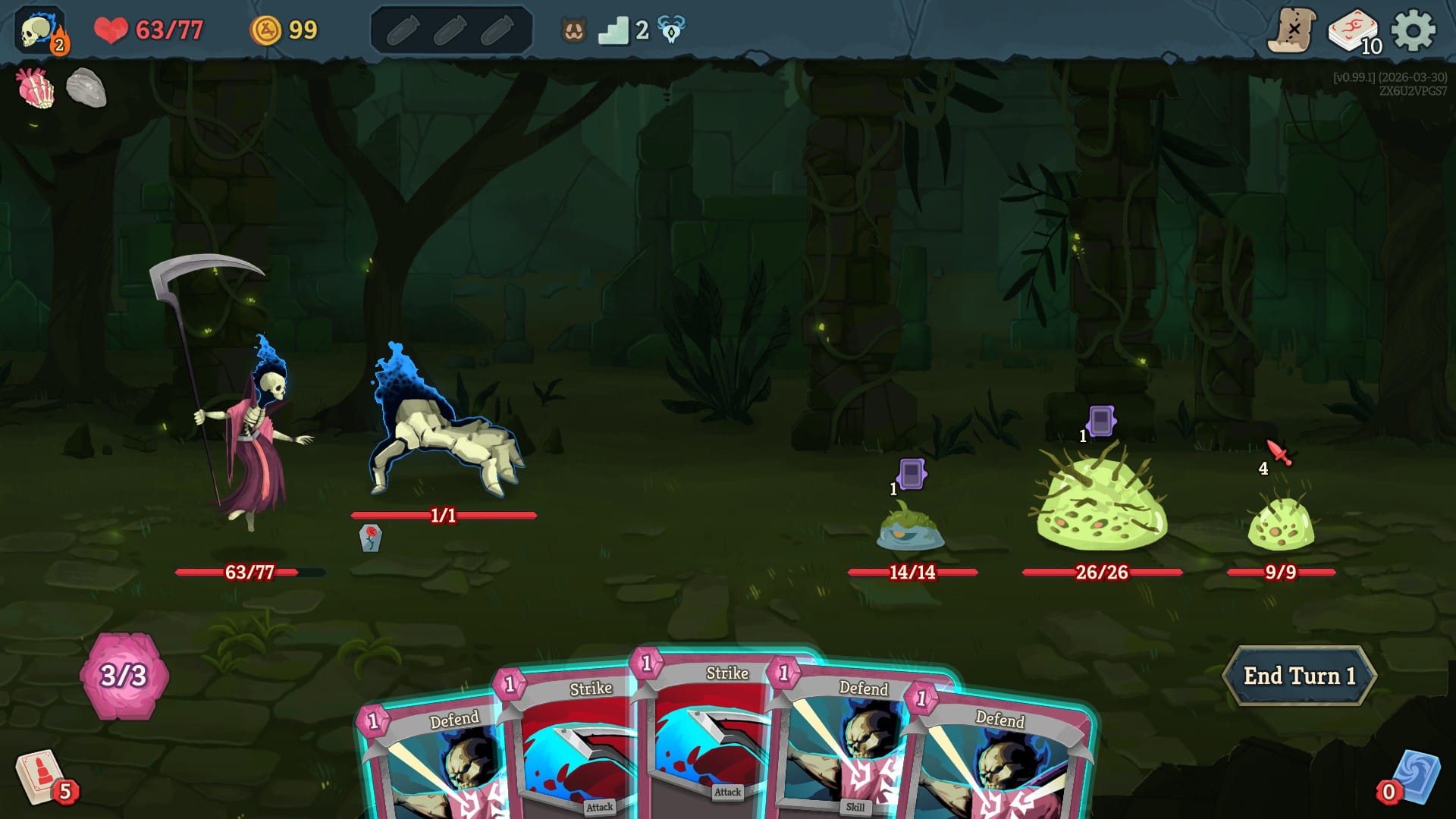
There are multiple indicators, each with a very specific signature, to make it easily readable for you. When relevant, there are numbers included with them, too. When the enemy intends to do multiple things at once, the indicators in Slay the Spire 2 are placed side by side, rather than on top of each other as they used to be in the original.
Here’s how you should read and decipher these icons:
- Affliction: A grey card icon with an orange border indicates that the enemy intends to debuff specific cards in your deck.
- Attack: Red weapons with a number indicate that the enemy intends to attack you, with the number on the bottom showing the damage they will deal unless you block or apply a modifier. The higher the damage, the more menacing the weapon icon is, scaling from dagger to scythe across five categories. A multiplier formulation like 3x4 means they will execute three separate attacks for four damage each, which can change the block math or the effects of debuffs like Weak.
- Buff: A blue upward arrow means the enemy intends to apply a buff to itself or a fellow foe on their team. This used to look like a flaming shield with orange flames in the original Slay the Spire.
- Death Blow: A rare icon that looks like a bomb, Death Blow means the enemy will do damage and kill itself. You will either find this on the Gas Bombs summoned by Living Fog or as the on-death effect of the Waterfall Giant boss.
- Debuff (stat): A red, downward arrow shows that the enemy intends to apply a stats debuff to your character. This used to look like a shield with grey swirls around it in the original Slay the Spire.
- Debuff (status card shuffle): A grey card with a purple border above the enemy indicates they intend to shuffle some kind of a negative status card into your deck, with the number showing how many they will shuffle. Examples of this include Slimed, Infection, and Burn.
- Defend: An armor icon means that the enemy intends to apply Block.
- Heal: A green plus sign means the enemy intends to heal.
- Summon: Unlike the original Slay the Spire, StS2 has a dedicated status icon when the enemy intends to summon extra foes. It looks like a purple blob with a pair of evil-looking eyes.
- Cowardly: A swirly rightward arrow indicates the enemy is intending to flee the battle the next turn, so you need to either take it out immediately or stun it to buy yourself more time.
- Stunned: A stunned enemy will have a bunch of swirly stars above its head.
- Sleeping: The classic Zz indicates the enemy is asleep, and will stay so for a few turns unless you deal direct damage to it. Check the counter on their status bar to know how long they are planning to nap.
Properly understanding these symbols is an extremely powerful part of your Slay the Spire arsenal – and veterans of the series will remember the Runic Dome relic, which has not made a return to the sequel at the time of writing. Its description reads, “Gain 1 Energy at the start of each turn. You can no longer see enemy Intents,” and as powerful as it is to have extra Energy to play with, this was a net downside for most players – perhaps apart from the veterans who knew by heart what was coming at them at all times.
What the Enemy Indicator Doesn't Tell You in StS 2 (and How You Can Figure It Out Anyway)
This isn’t to say that enemies in the Spire won’t throw a surprise or two your way. The specific debuffs (or the cards the enemy intends to shuffle into your deck) are not shown on the symbol, but if you have played a few runs of the game, you should be able to figure those out. Sometimes, there’s an outright ??? indicator for unexpected or unique moves, where the developers actively intend to surprise you on a first playthrough.
It’s interesting to see how the enemy indicator and the general Slay the Spire interface evolved throughout the course of development, and this interesting developer video will let you learn more about it:
As you play and learn more about the game, reading these indicators will become second nature to you, and even the hidden information won't take you by surprise. The best way to speed up this learning process is to watch expert streamers like Baalorlord and Jorbs play the game. (It's also a ton of fun to hang out in their chat!)
Now you know all about the enemy intent indicators in StS2 and should hopefully be a bit more ready to tackle all the challenges the Spire will throw your way. Be sure to check out more of our starter guides to supercharge your learning experience!
Hungry for more Slay the Spire 2 knowledge? Be sure to check out our Getting Started guide!