
How to Import Slay the Spire 2 Tier Lists to the Untapped.gg Companion
To import your new tier list into the Untapped.gg companion app, follow these simple steps:
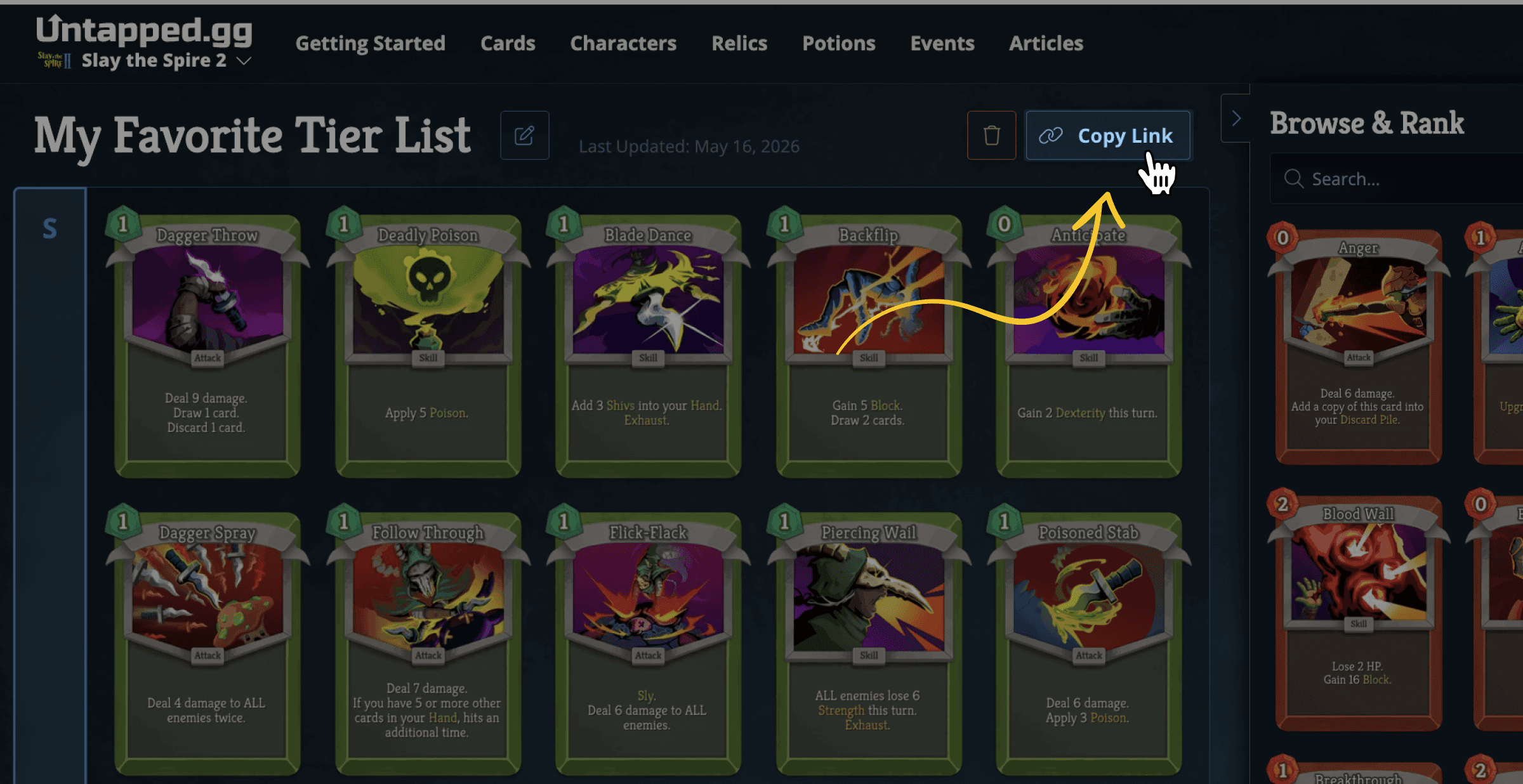
- Navigate to the tier list you would like to import, either on this page above or via direct link.
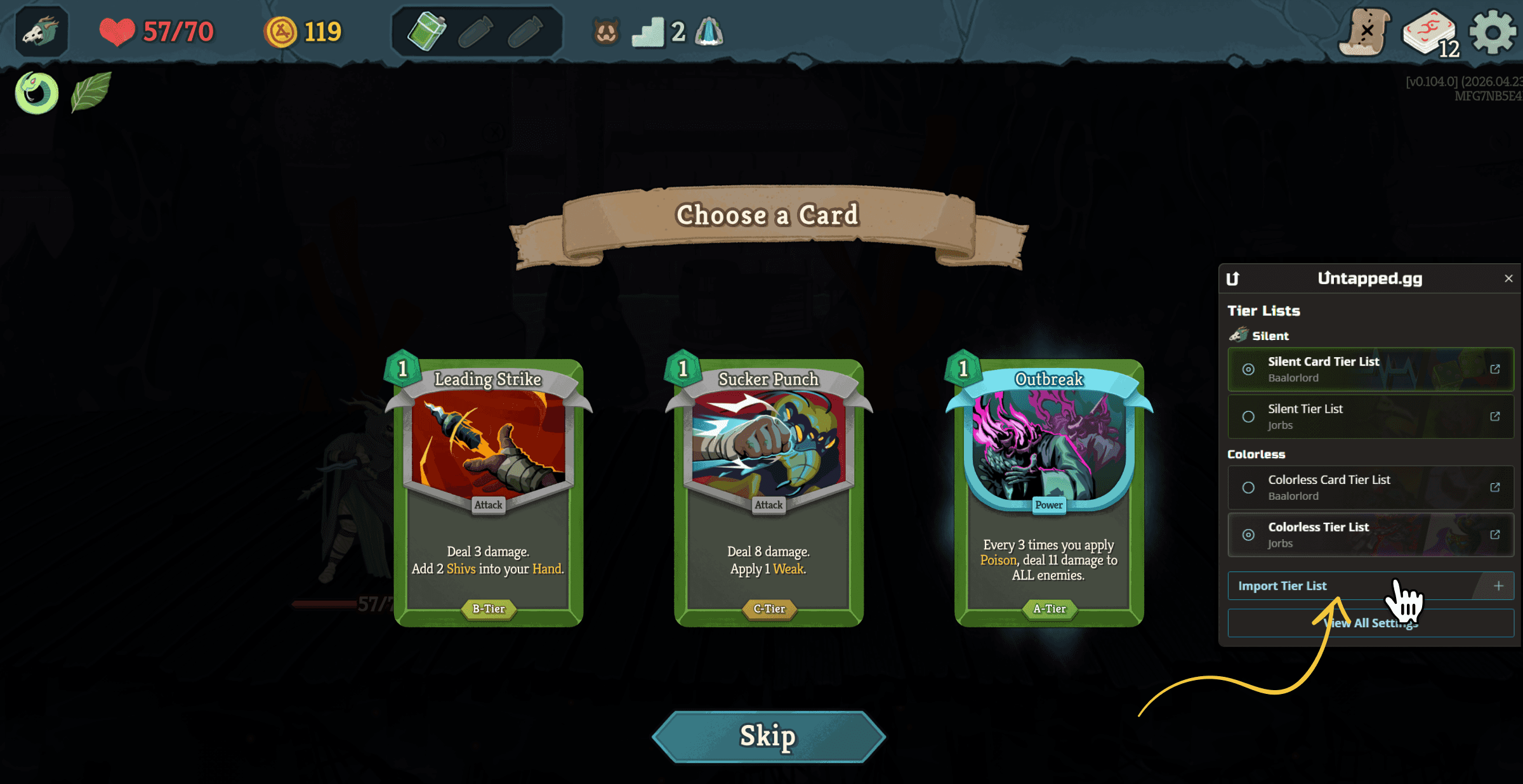
- Go to the “Tier Lists” screen in the Untapped.gg companion app and click “Import Tier List”
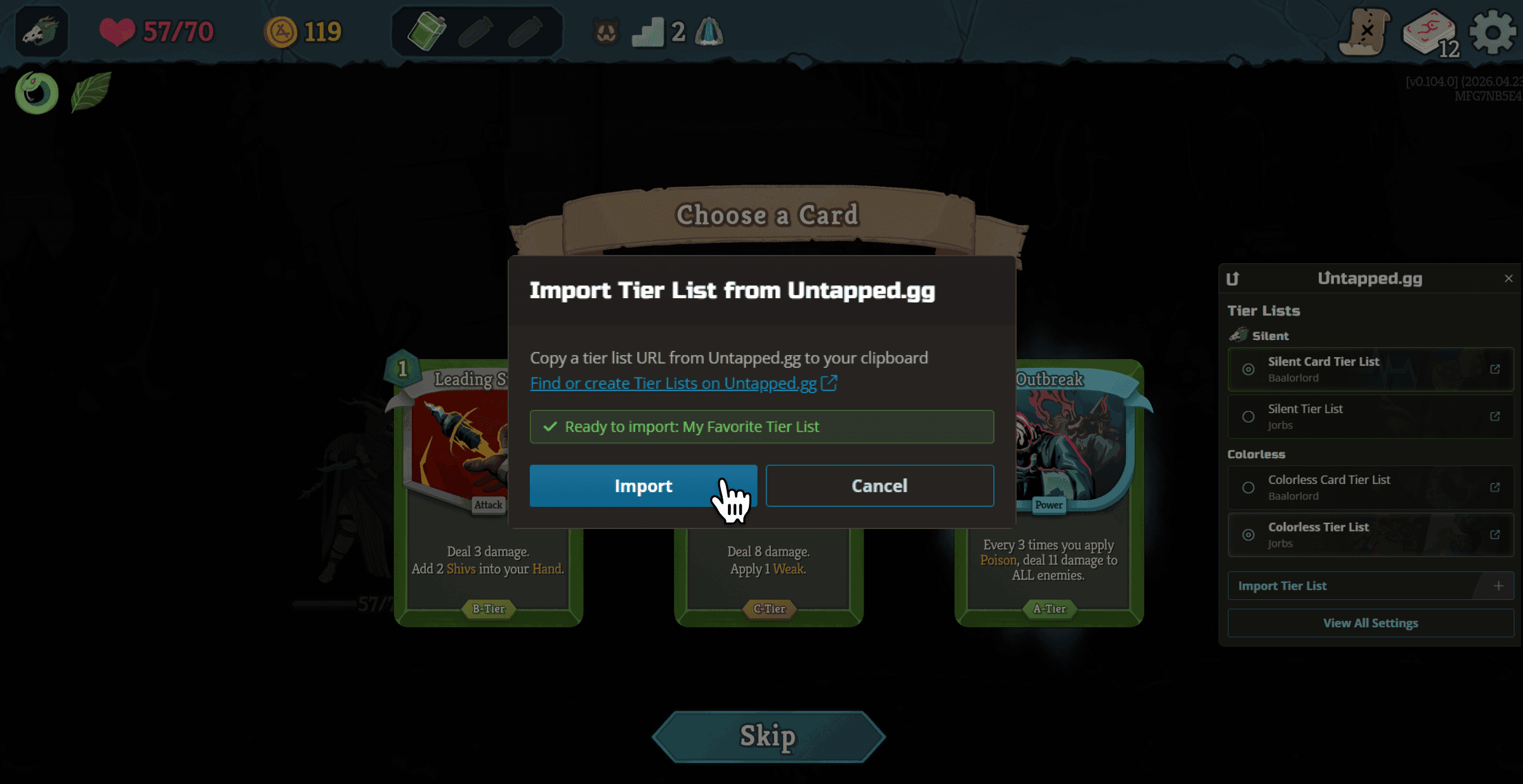
- The link should be imported automatically, but you can paste it manually, if needed.
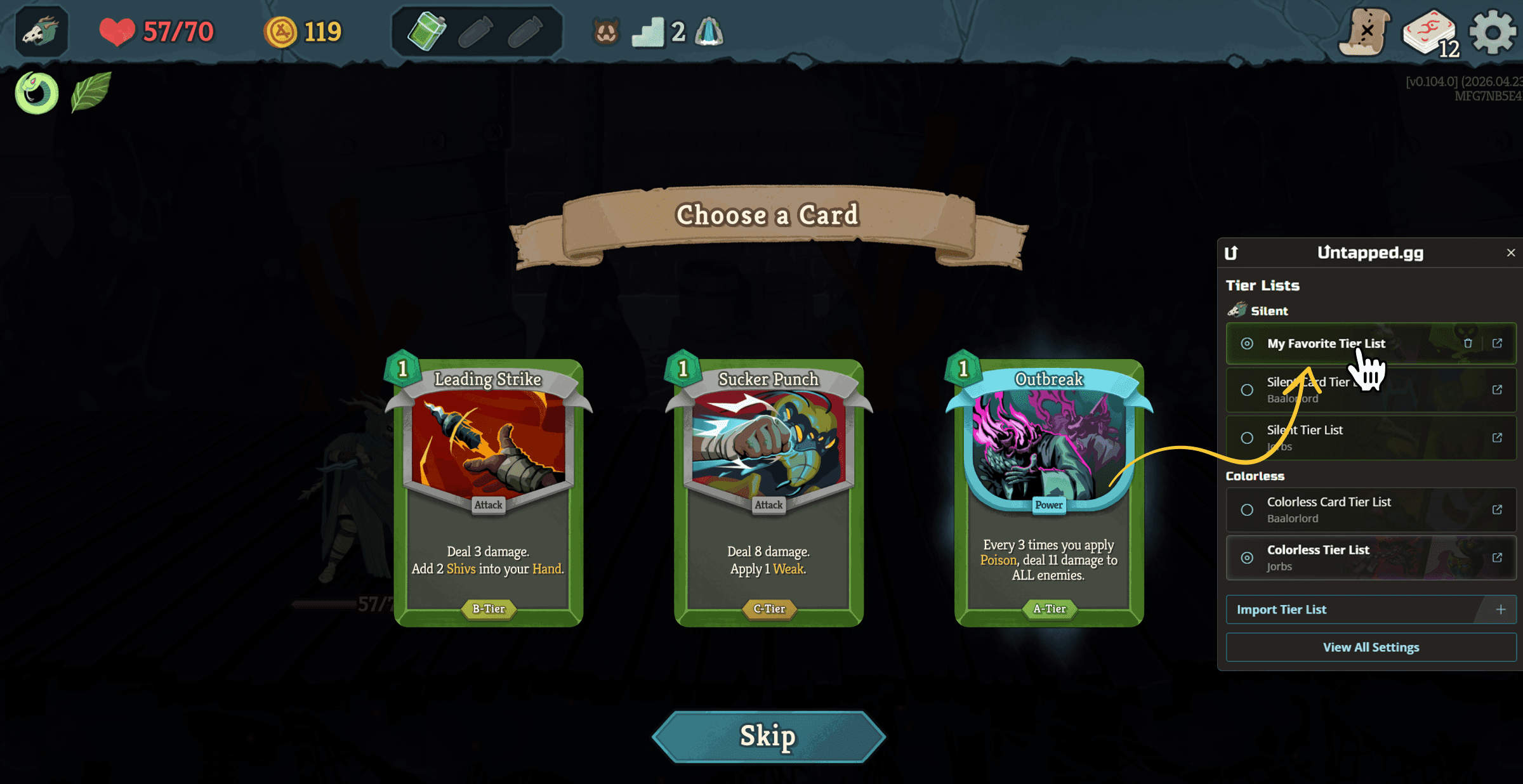
- Select your tier list, and you are ready to play!
Creating Your Own Slay the Spire 2 Tier Lists
You can create your own tier list and add comments for each card. Then follow the same steps above to see your own card ratings during your next Slay the Spire 2 run.
To build your own tier list, log in to your account on sts2.untapped.gg, then click on '+ New Tier List' in the menu in the top right corner of the screen. Follow the steps in the video below to fill out your tier list.
The Untapped.gg Companion Experience
Our team has a decade of experience creating dedicated overlays for card games like Hearthstone, Magic The Gathering: Arena, Marvel SNAP, and more in our companion app. We're a group of devoted players who live and breathe these games, and we've already put thousands of hours into Slay the Spire 2, having a great time along the way.
You can learn more about the Untapped.gg Companion features for Slay the Spire 2 here.